Your Ultimate Desktop Commander
Create customizable widget dashboards to organize your digital life. Launch apps, open favorite websites, or run scripts in one click.
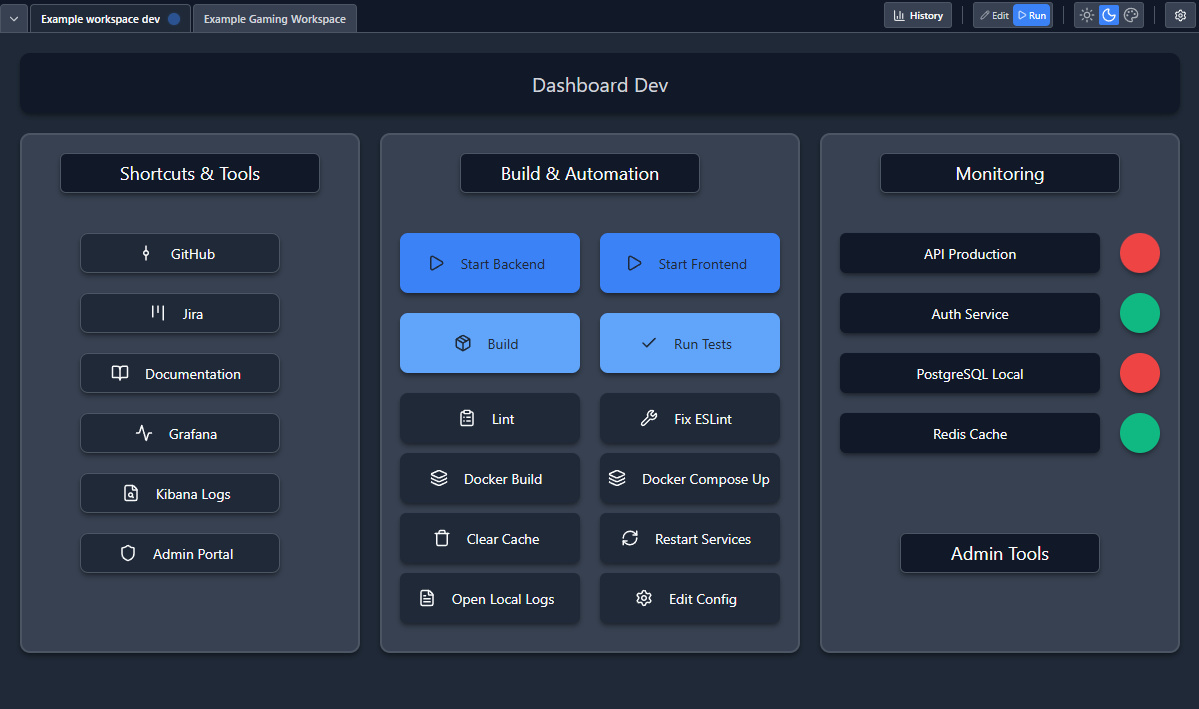
Launch Anything, Instantly
Tired of searching for files? Bind a button to any folder, PDF, website, or application. For pros: attach complex shell commands and scripts seamlessly.
- Launch .exe & Scripts
- Open Web URLs
- Execute Shell Commands
Organize by Context
Keep your "Gaming" links separate from your "Work" tools. Switch between dashboards instantly to stay focused on what matters now.
Visual Monitoring & Status Checks
Monitor everything at a glance. Create buttons that change color based on a website's status, shell command output, or JSON response values (e.g., return.status.value = "ok"). Perfect for system monitoring and health checks.
- HTTP/HTTPS Endpoints
- Shell Command Output
- JSON Response Values (e.g., return.status.value = "ok")
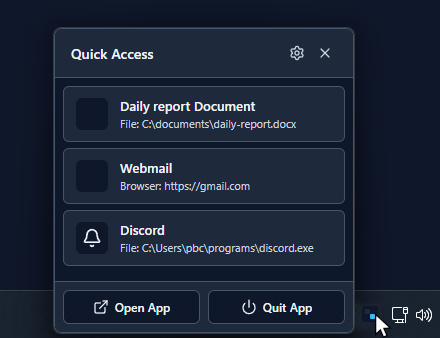
Quick Access from System Tray
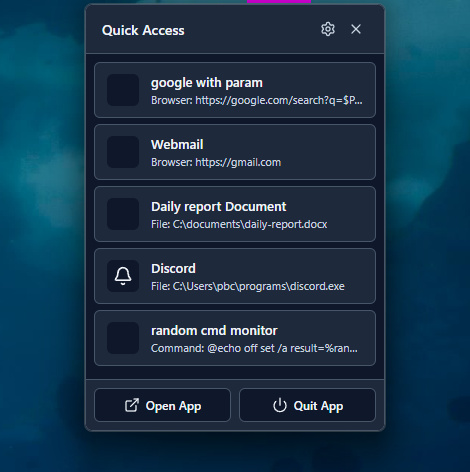
Access your most important actions instantly from the system tray icon. Right-click to reveal a quick access menu with your configured buttons and widgets, ready to execute without opening the main application.
Screen Edge Anchor
A small, discreet element that stays pinned to the edge of your screen for instant access to your quick actions. Always within reach, never in the way.
- Customizable color and size
- Draggable to any screen edge
- One-click access to quick actions
How It Works
Get started in minutes with our simple workflow
1. Add Your Buttons
Create buttons and link them to apps, websites, scripts, or shell commands
2. Configure & Monitor
Optionally add visual status checks to monitor endpoints, commands, or JSON responses
3. Launch & Control
Click your buttons to instantly execute actions. Switch workspaces anytime.
Pricing Tiers
Choose the plan that fits your needs
Free Evaluation
- Full feature access
- Unlimited workspaces
- Unlimited buttons
- No time limit
Pro
- Everything in Free
- Priority support
- Advanced features
- Future updates included